aicodeprep-gui
The fast context maker
v2 Try the faster Rust version with redaction, compression, and budget controlTake control of your AI's context to get radically better bug-fixing and planning assistance. When you don't tell the AIs about MCP servers and tools, you'll be suprised at what they are capable of.
Get started in seconds:
pipx install aicodeprep-guiPrefer uv? You can try it without installing, or install with uv:
uvx aicodeprep-guiuv tool install aicodeprep-gui

🎙️ Listen: a short conversation about the problems this app solves
📺 Click to watch the video version
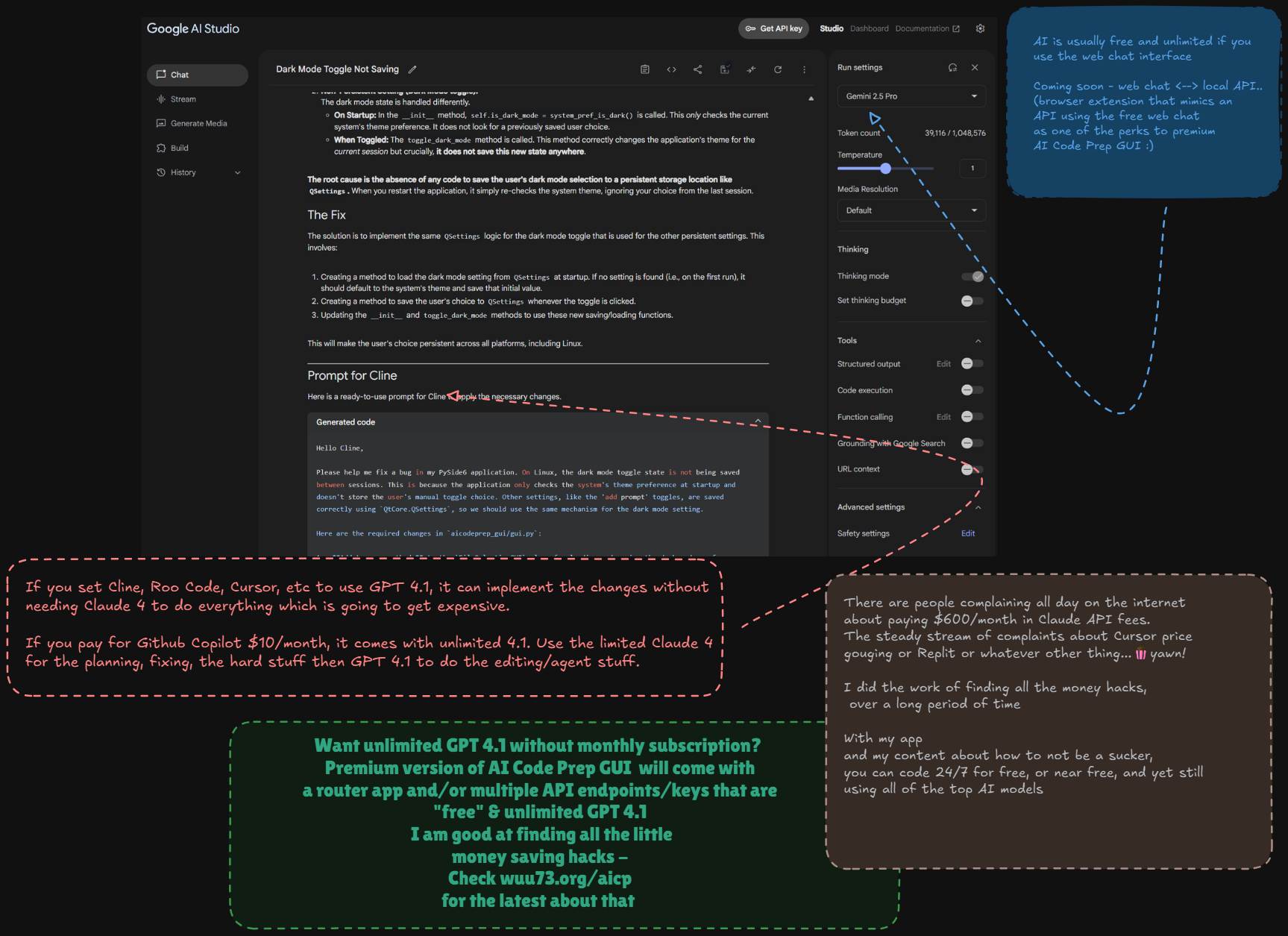
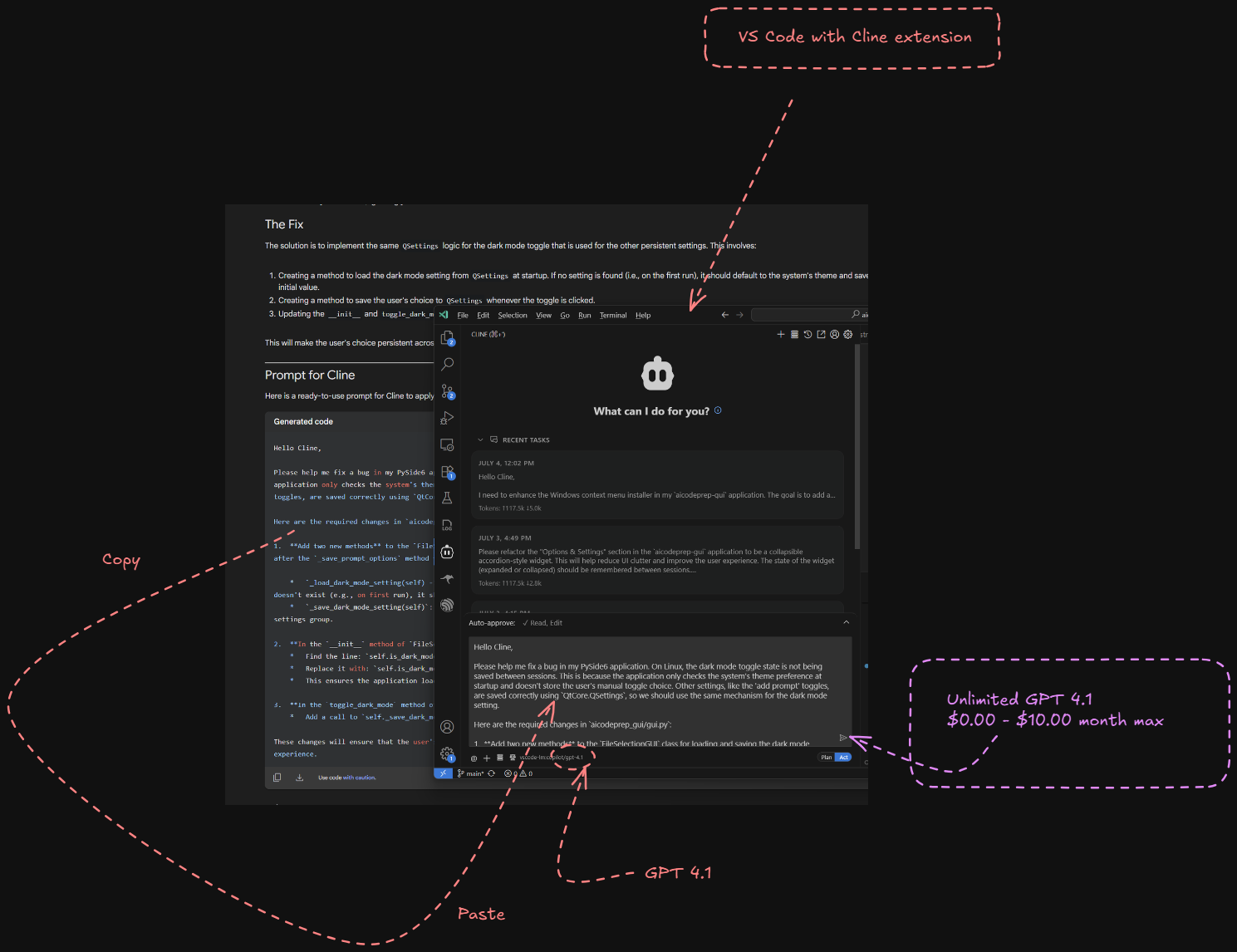

A Smarter Workflow, Not Another Agent
IDE agents like Cursor, Cline, Copilot, guess which files to use (or
worse, make you type each filename out!) and give the AI too much text
related to tool usage which makes them too dumb to solve your
problems. That is where this tool comes in to save the day!
You know your code best.
aicodeprep-gui puts you in control with a fast, intuitive
UI.
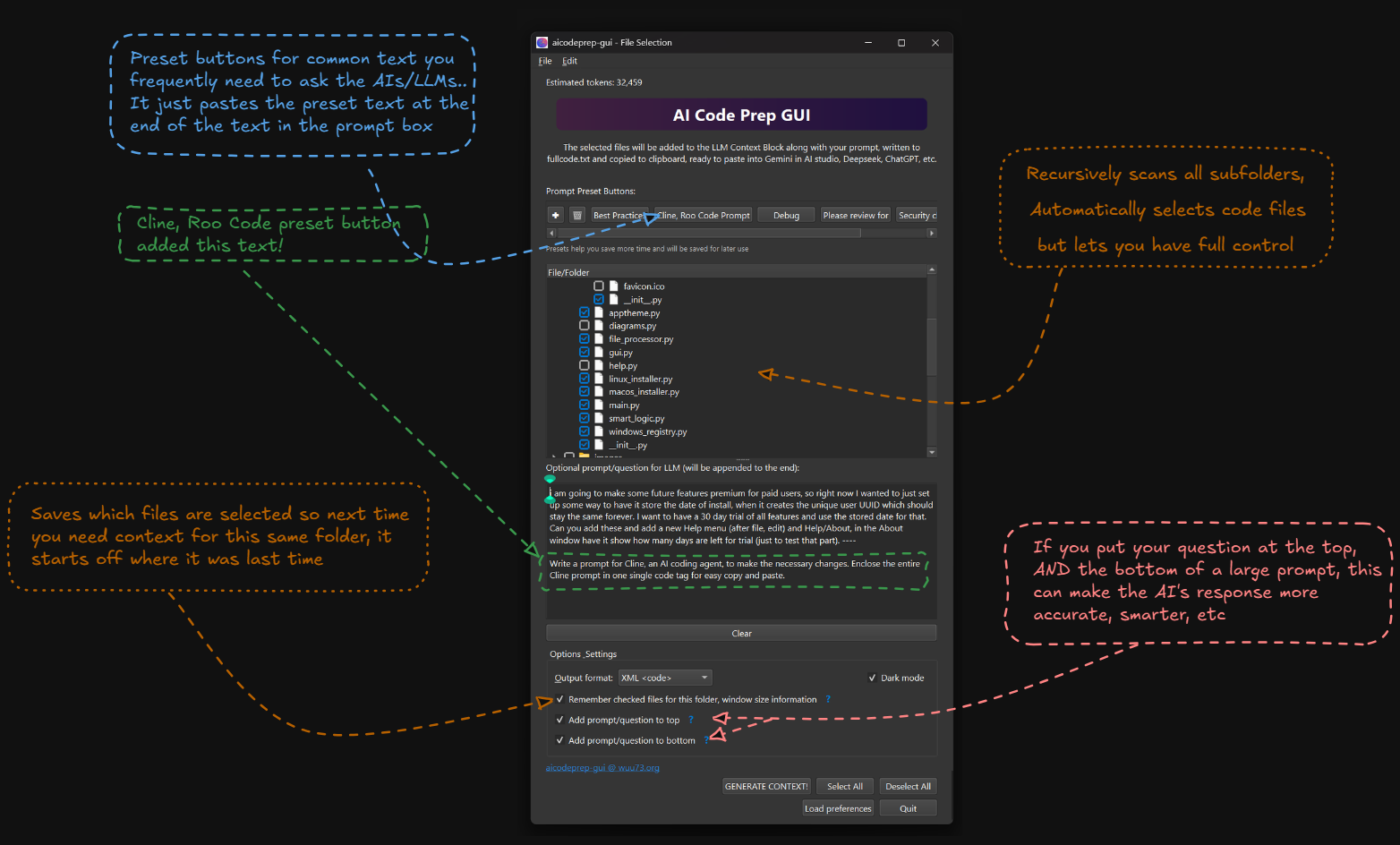
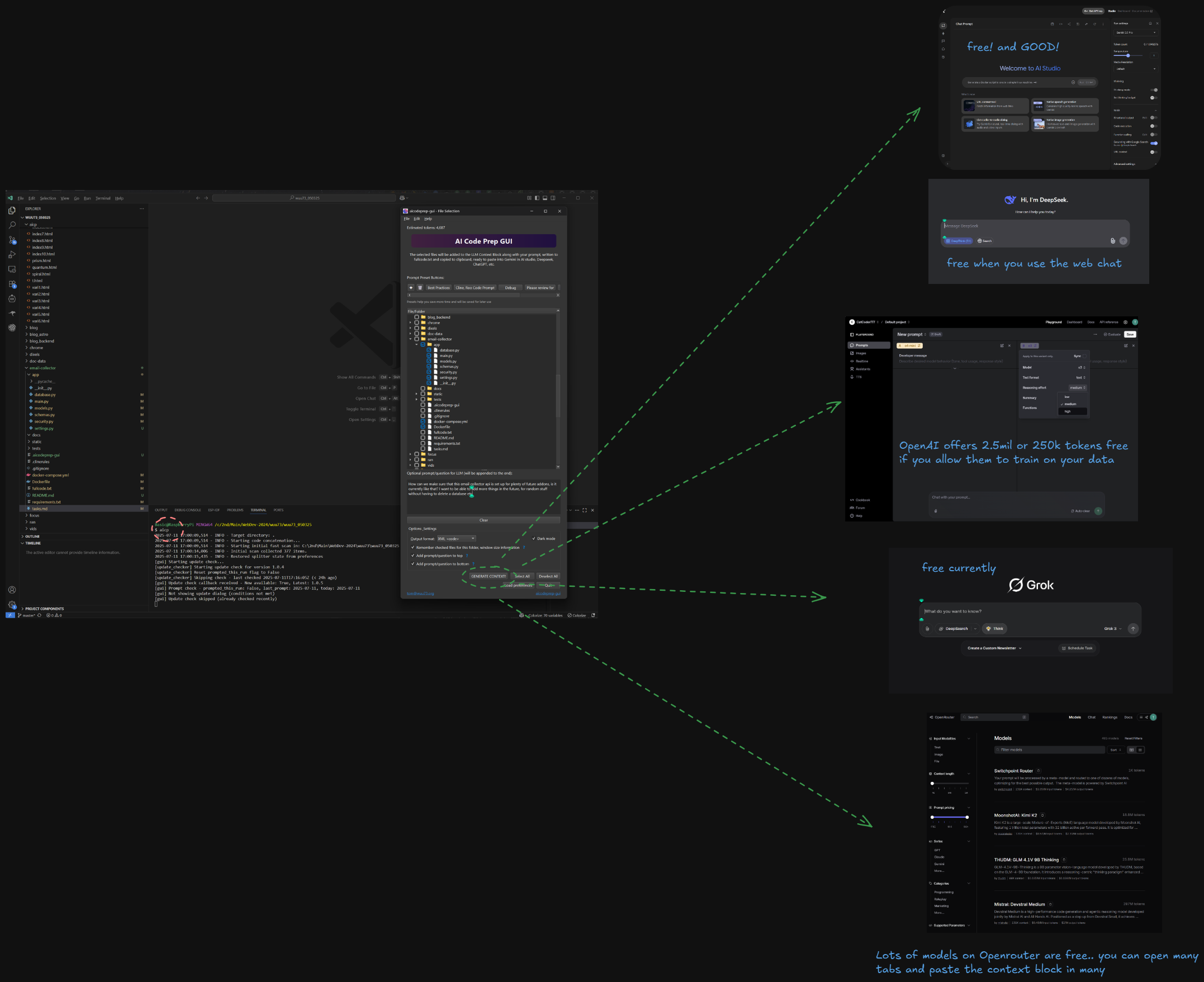
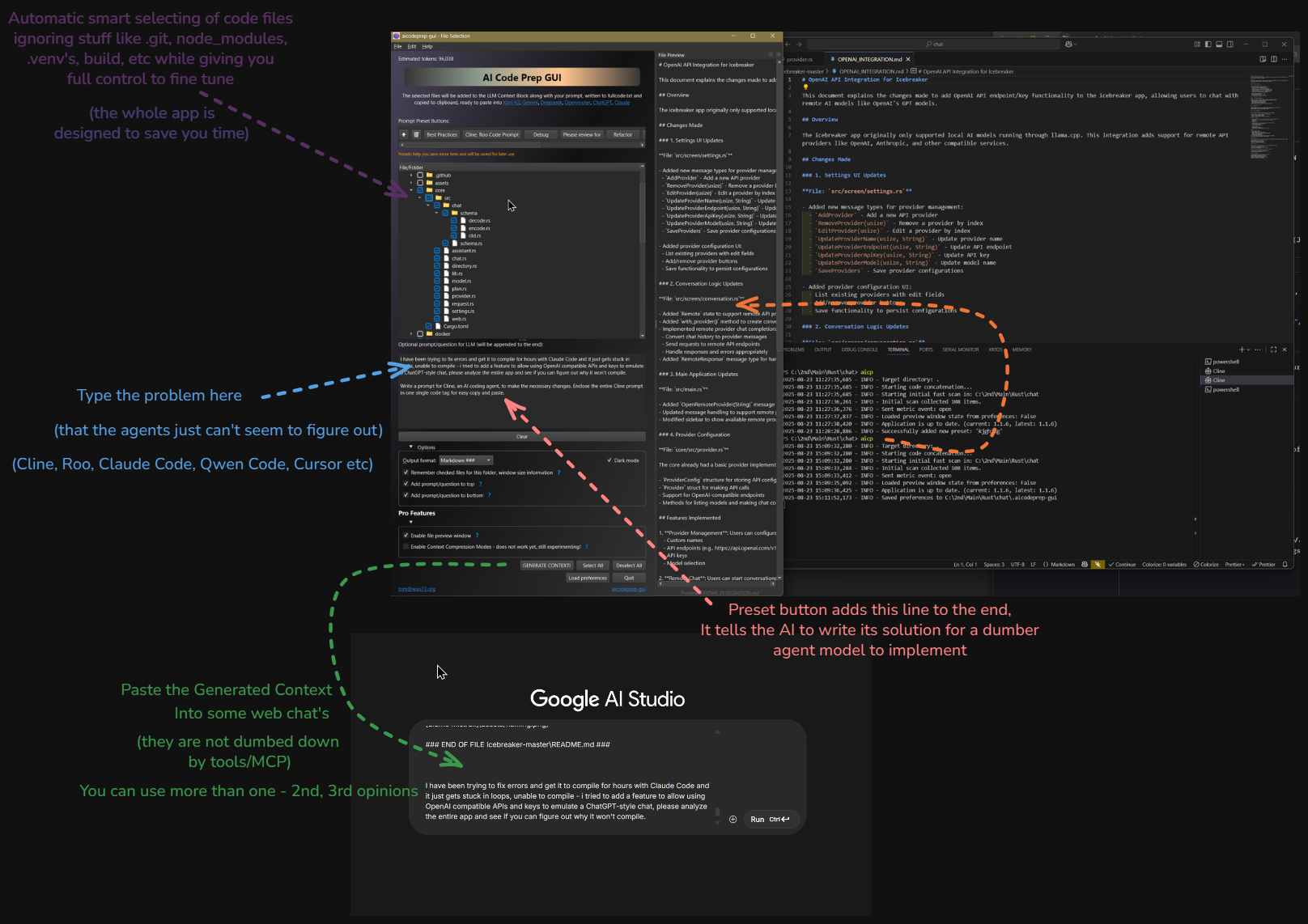
1. Launch Instantly
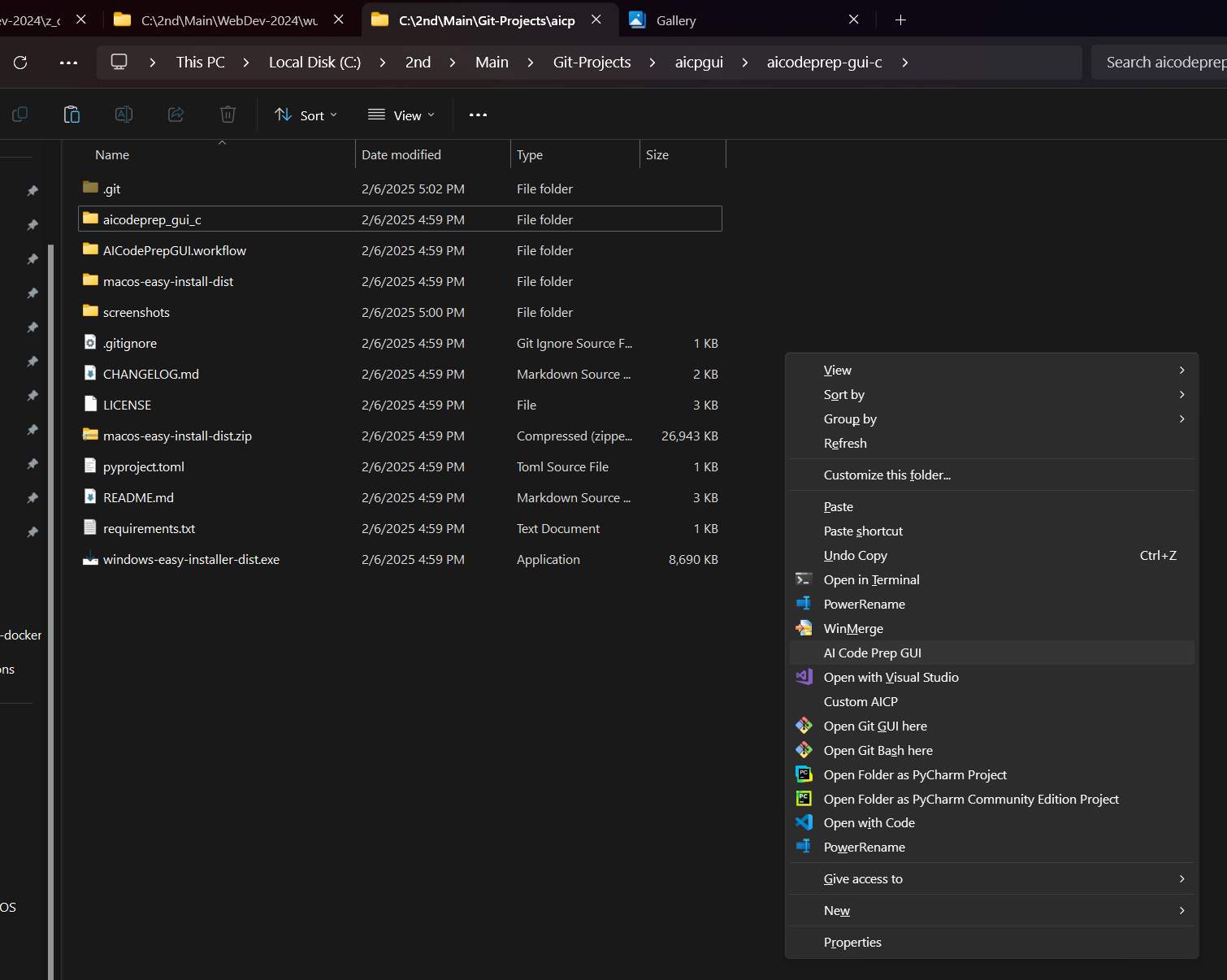
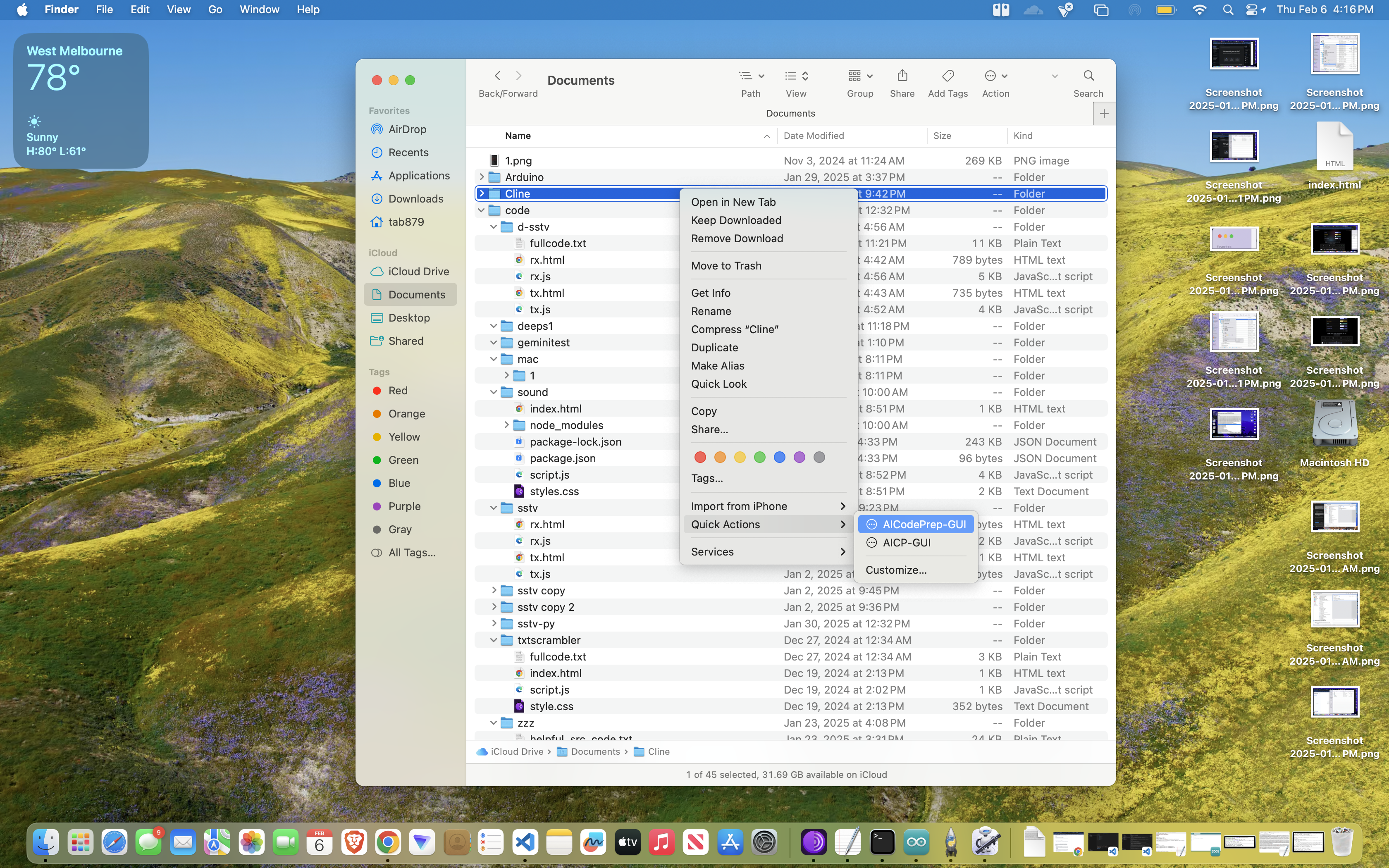
Right-click a folder or type aicp in your terminal.
The app opens instantly, with relevant files pre-selected.
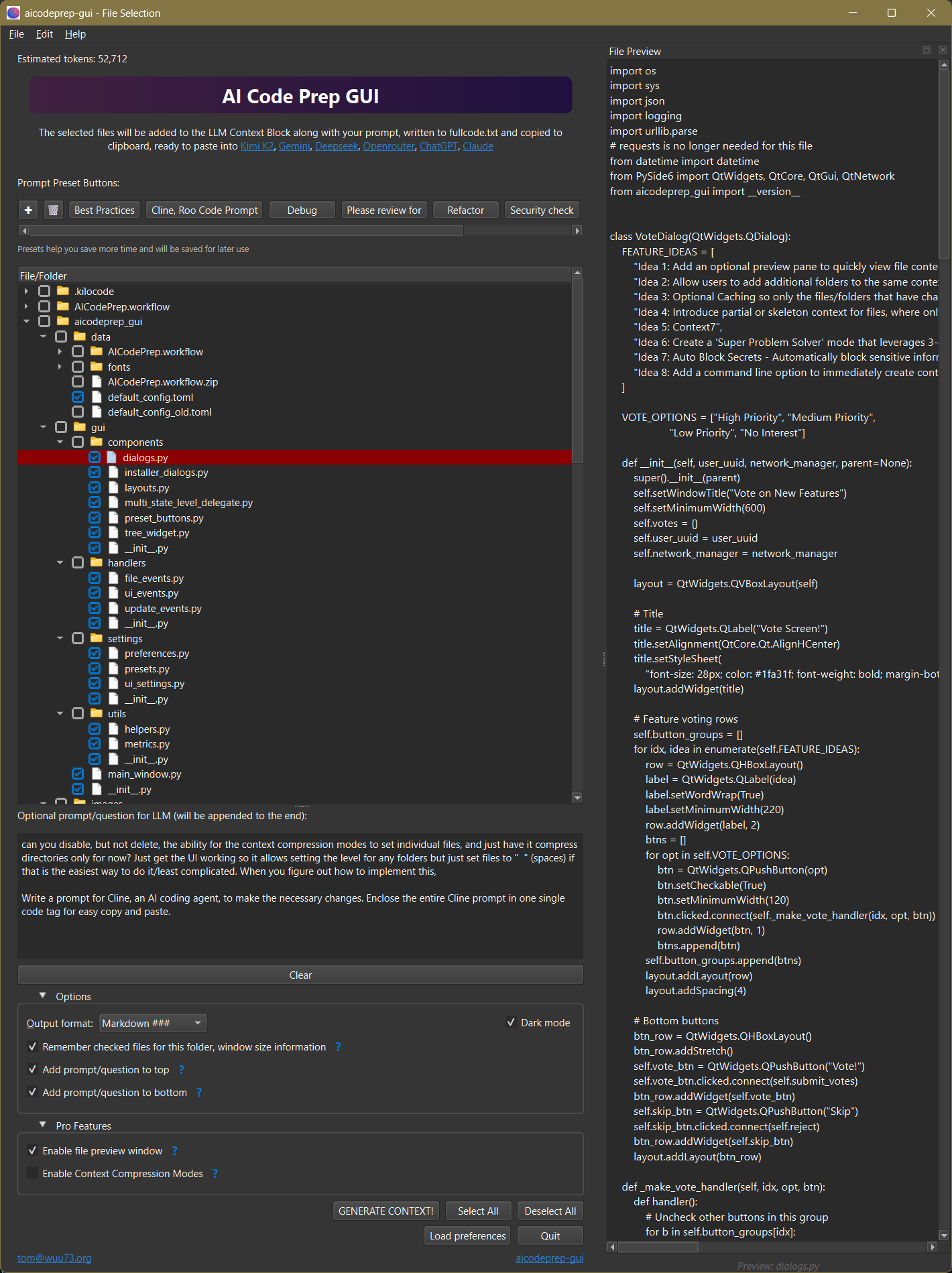
2. Fine-Tune & Prompt
Quickly check/uncheck files. Use preset buttons for things/questions you frequently type.
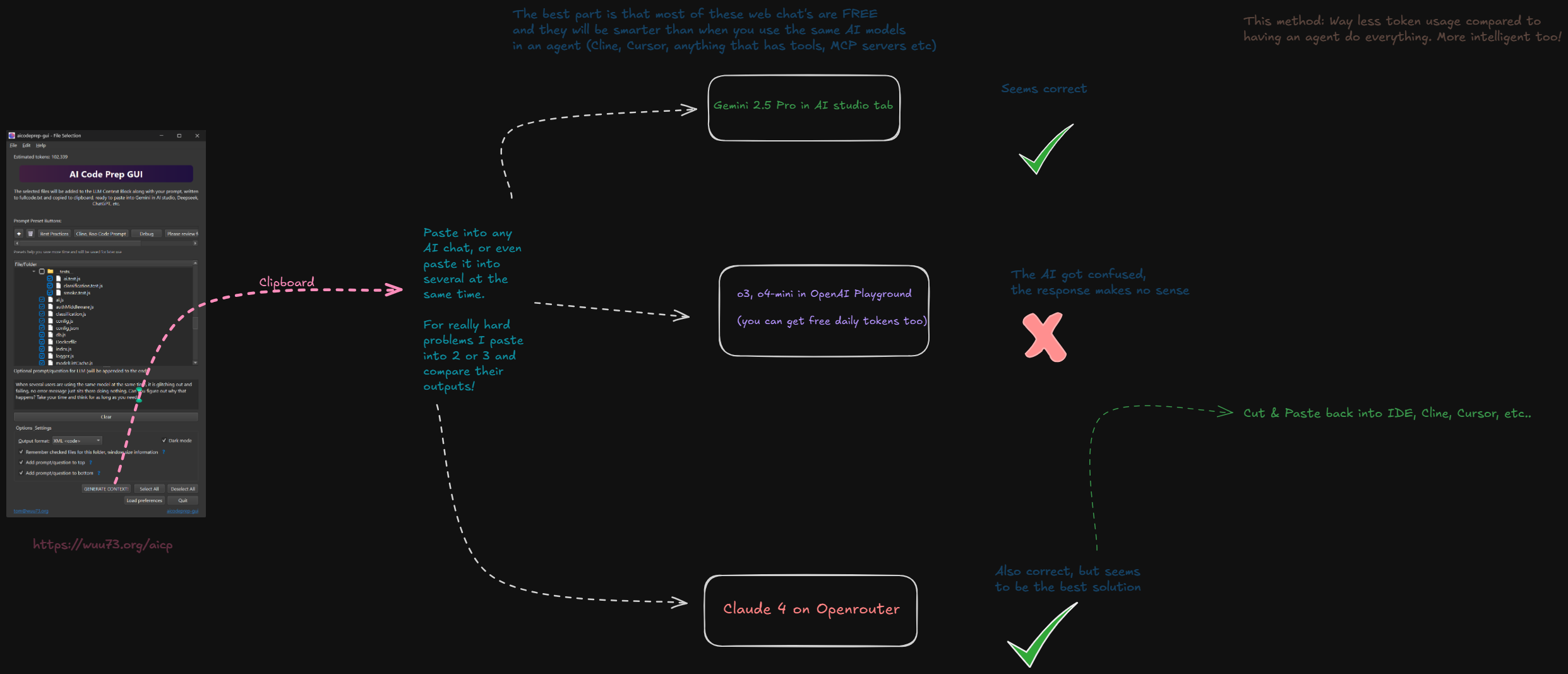
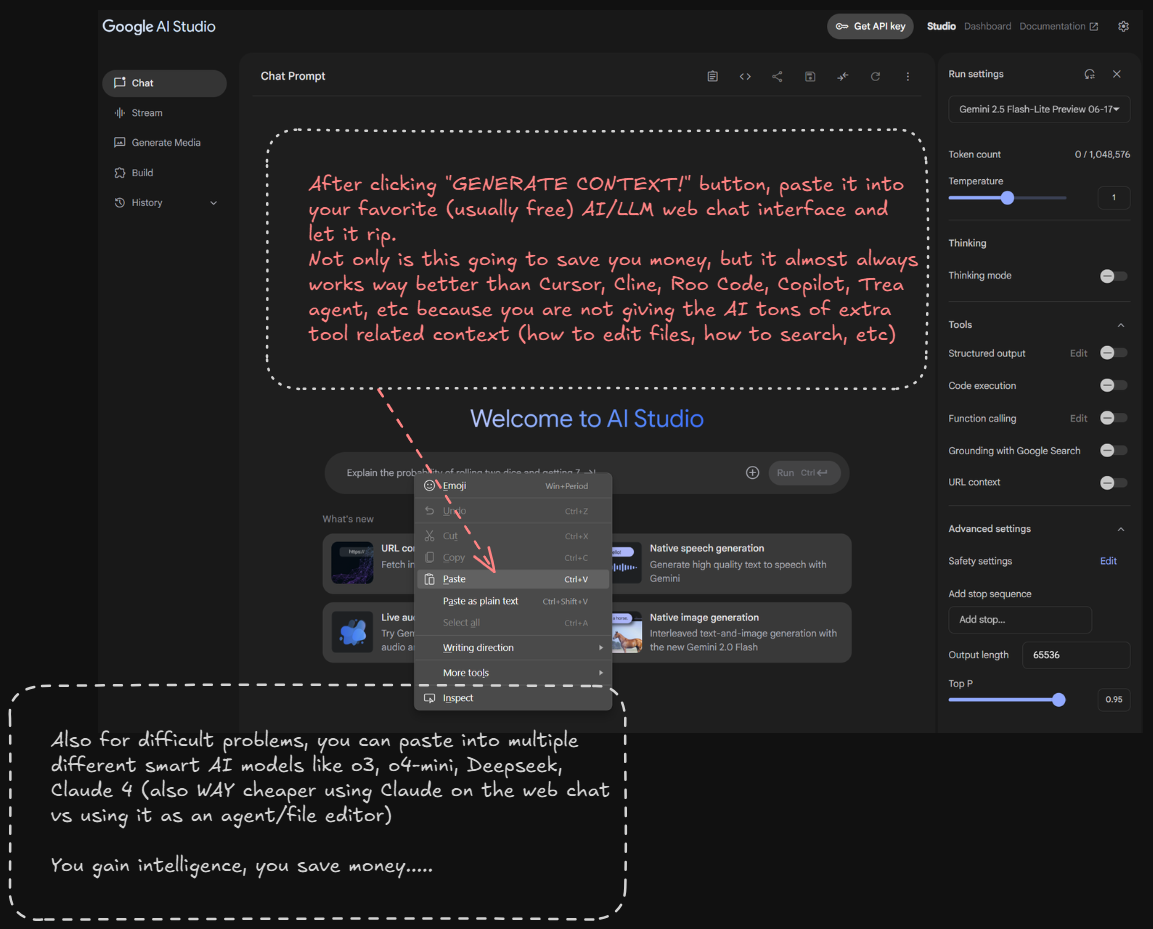
3. Generate & Paste
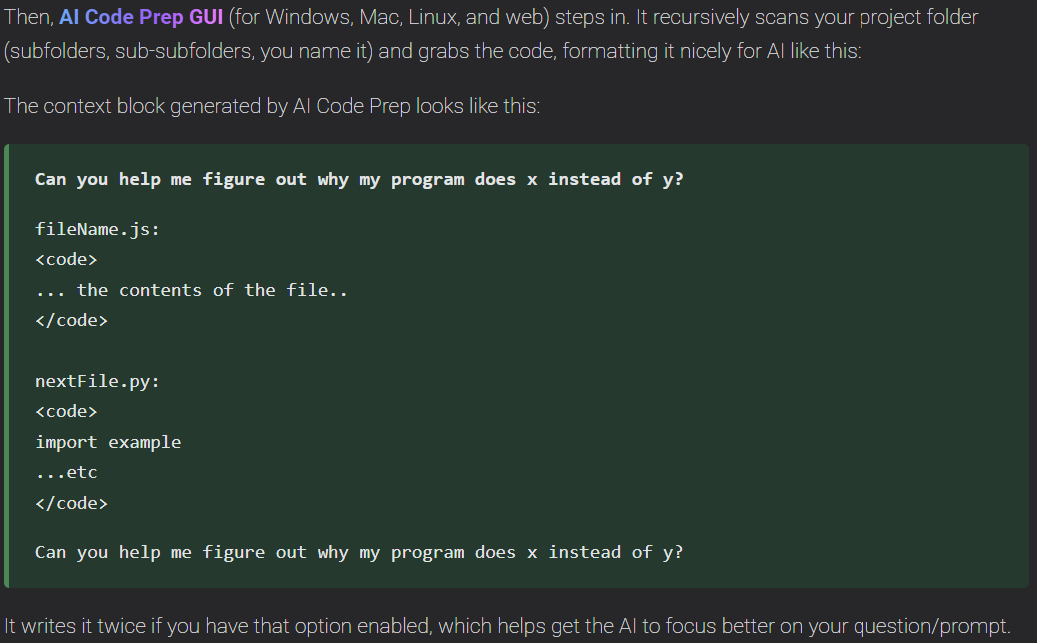
Click "Generate Context". The entire code bundle is copied to your clipboard, ready for any AI model. Your prompt can be put before AND after the code (options section), which can make the AI respond better.
4. Files, window size, saved for next time you run it in that folder
Per-project preferences saved to make it faster next time you need fast context on your clipboard.
Every feature is designed to save time, lower your API costs, make things frictionless
🚀 Seamless OS Integration
The only tool of its kind with native right-click context menu integration for Windows, macOS, and Linux.
🌐 IDE & Agent Agnostic
A standalone utility that enhances your workflow with VS Code, Cursor, Windsurf, or any web-based AI chat.
🧠 Intelligent File Scanning
Uses a .gitignore-style system and lazy-loading to
smartly and quickly scan your project.
🎨 Polished UI
A clean, modern interface with automatic light/dark mode, a real-time token counter, and per-project memory.
🔧 Context Engineering
Makes all the AI models smarter and more capable. Give them just the context they need, not a bunch of extra tool usage instructions or MCP server info etc. Current agentic IDEs or extensions/tools are giving the AIs WAY too much unnecessary information unrelated to your problem and this is why they seem dumb.
💻 Truly Cross-Platform
A single, consistent experience on Windows, macOS (Intel & Apple Silicon), and major Linux distros.
Detailed Installation
Requires Python & pipx. For the best experience, install the right-click menu from within the app (File > Install...). You can also use uv to install.. 'uv tool install aicodeprep-gui'
Windows
Install Python from python.org, then open Command Prompt:
py -m pip install --user pipx
py -m pipx ensurepath
Close and reopen your terminal, then:
pipx install aicodeprep-guimacOS
Using Homebrew:
brew install pipx
pipx ensurepath
Close and reopen your terminal, then:
pipx install aicodeprep-guiLinux (Debian/Ubuntu)
Update packages and install pip:
sudo apt update && sudo apt install python3-pip -yInstall pipx:
pip3 install --user pipx
pipx ensurepath
Close and reopen your terminal, then:
pipx install aicodeprep-guiAutomated Install Scripts
Want to automate setup? Download all installer scripts for Windows, macOS, and Linux in one zip file:
Unzip and run the script for your system. Review the script before running for security.